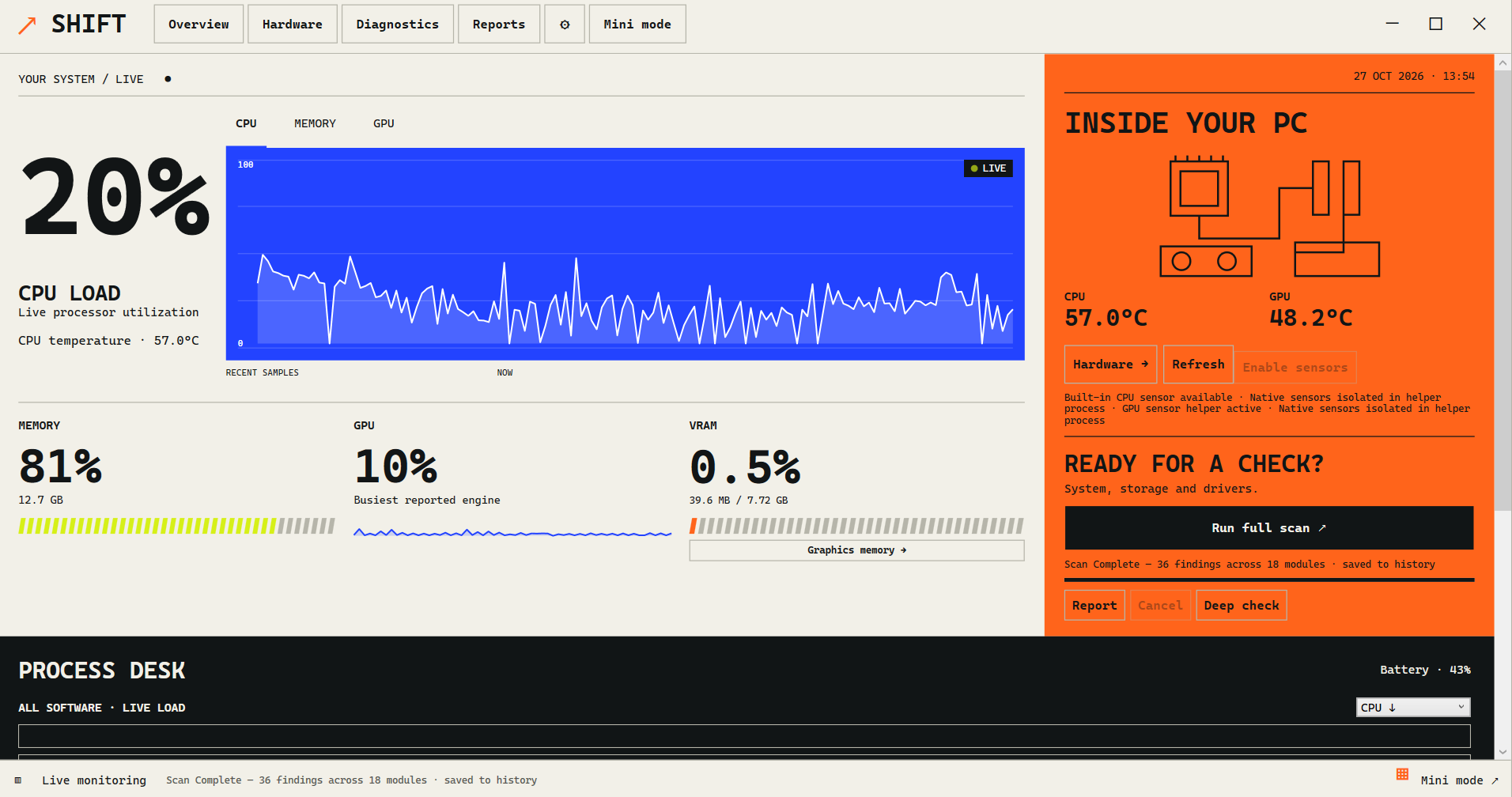
A temperature reading is useful when you know which component it describes and what the PC was doing at the time. Use SHIFT to review available CPU, GPU and graphics-memory temperature sensors alongside resource use. Sensor support depends on your hardware, drivers and permissions; an unavailable reading is not a temperature of zero.
SHIFT is a paid portable PC monitoring and diagnostics app for Windows 10 and 11. This guide explains how to collect temperature observations and what to check when a sensor is missing. It does not set a universal safe temperature for every PC.
Start with the correct component
Open SHIFT and review the available hardware and sensor readings. If the PC has more than one graphics adapter, select the adapter you intend to inspect. An integrated GPU and a dedicated GPU can report different activity and temperature information.
Check the label and availability of each reading before comparing numbers. CPU temperature, GPU temperature and graphics-memory temperature describe different sensors. Do not treat them as interchangeable or assume every device exposes all three.
If you have not opened SHIFT yet, follow the Windows setup guide. The feature directory explains supported temperature readings, thermal alerts and sensor diagnostics.
Read temperature beside CPU and GPU usage
First note the workload: an idle desktop, game, video export or other task. Review temperature together with CPU/GPU use and the time the task has been running. A single number without that context can be misleading.
For a comparison, keep the task and settings similar. A reading from a laptop on battery and one from a plugged-in desktop running a different task are not a controlled comparison. Record which device and adapter you inspected, the task, and whether the temperature pattern changes as the workload continues.
SHIFT's CPU, GPU and RAM monitoring guide explains how resource readings can help investigate a slowdown. A high temperature or busy reading by itself does not prove that a component is faulty.
Use Mini mode when the main window gets in the way
SHIFT includes a small monitoring window for key readings that can be pinned above other windows. Choose the view appropriate to the readings your hardware provides. Check that the component you want to watch remains identifiable when switching views.
If you are recording a problem, write down the approximate time and activity as well as the reading. Avoid deliberately overheating the system or repeating a crash simply to obtain a screenshot.
Why a CPU or GPU temperature may be unavailable
Missing readings can reflect unsupported sensors, driver/provider differences or required permissions. Review SHIFT's sensor diagnostics for the source, recency and availability of the information. Check any permission explanation before relying on the result.
A blank sensor does not mean the device is cool, inactive or broken. Make sure you are inspecting the intended adapter and compare like-for-like sensor labels if you check another tool. Follow the hardware or system vendor's instructions when a driver or permission issue needs investigation.
What temperature is safe for your PC?
Use the specifications for the exact component and system. There is no single temperature threshold that describes every processor, graphics card and laptop design. Intel directs users to the relevant processor specifications for its thermal limits and notes that operating temperatures depend on workload and system design. Intel's temperature guidance.
SHIFT lets users set component advisory levels and configure thermal alerts. Those settings should be based on the relevant manufacturer's guidance. They do not replace the component's built-in protections or guarantee hardware safety. Optional protective app-closing actions are separate from reading sensors and should be reviewed before use.
Keep a useful record
When asking for help, include the hardware model, Windows and SHIFT versions, selected adapter, workload, sensor label, approximate time and whether the reading was current or unavailable. Review identifying details before sharing an export or screenshot.
If the symptom is an unexpected restart or blue screen, use the Windows crash-history guide to collect event evidence. For help with an unavailable SHIFT reading, contact support. Pricing and purchase details explain the one-time product fee and Gumroad delivery.